PDF to PNG

Convert each page of your PDF into high-quality PNG images with transparency support.
- 100% browser-based - your files never leave your device
- Extract all pages as separate PNG images
- Support for transparency or white background
- Download as a ZIP file containing all images
All conversion happens directly in your browser. Your PDF never gets uploaded to any server. Complete privacy guaranteed - your files never leave your computer.
Step-by-Step Instruction
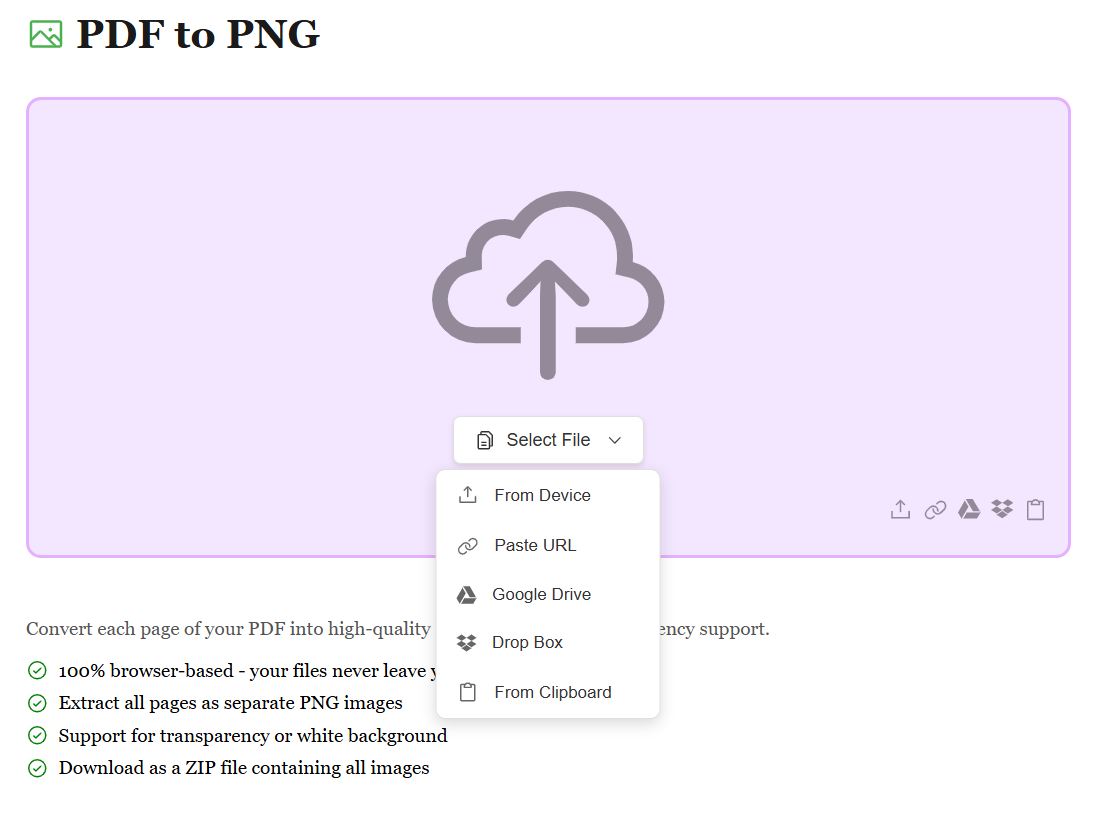
Upload Your PDF File
Start by uploading your PDF file using the method that works best for you. Whether it's from your device, Google Drive, Dropbox, or by pasting a file URL, we support all sources. No matter where your PDF is stored, converting it to high-quality PNG images is just a click away.
Automatic Page-to-Image Conversion
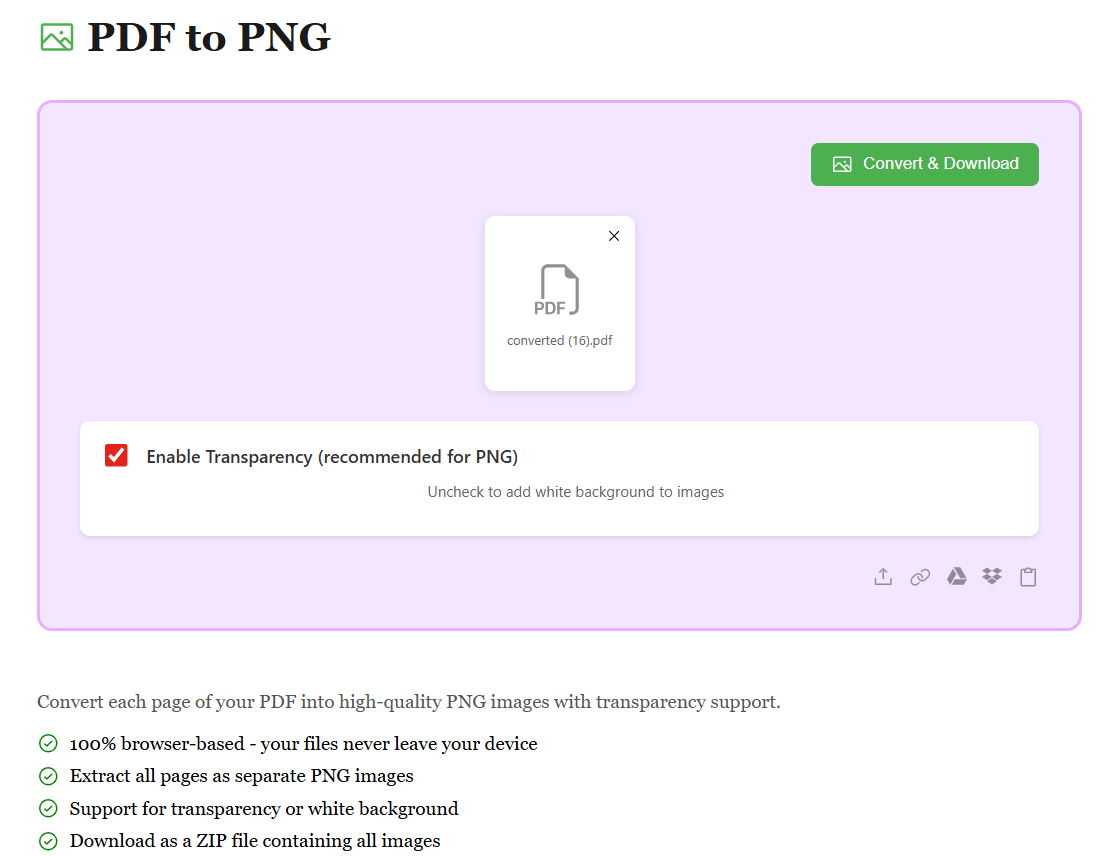
Once your PDF is uploaded, our advanced conversion engine automatically transforms each page into a separate PNG image with transparency support. You can choose to enable or disable transparency based on your needs. The conversion happens in seconds, preserving all visual details and clarity of your original document.
Download Your PNG Images
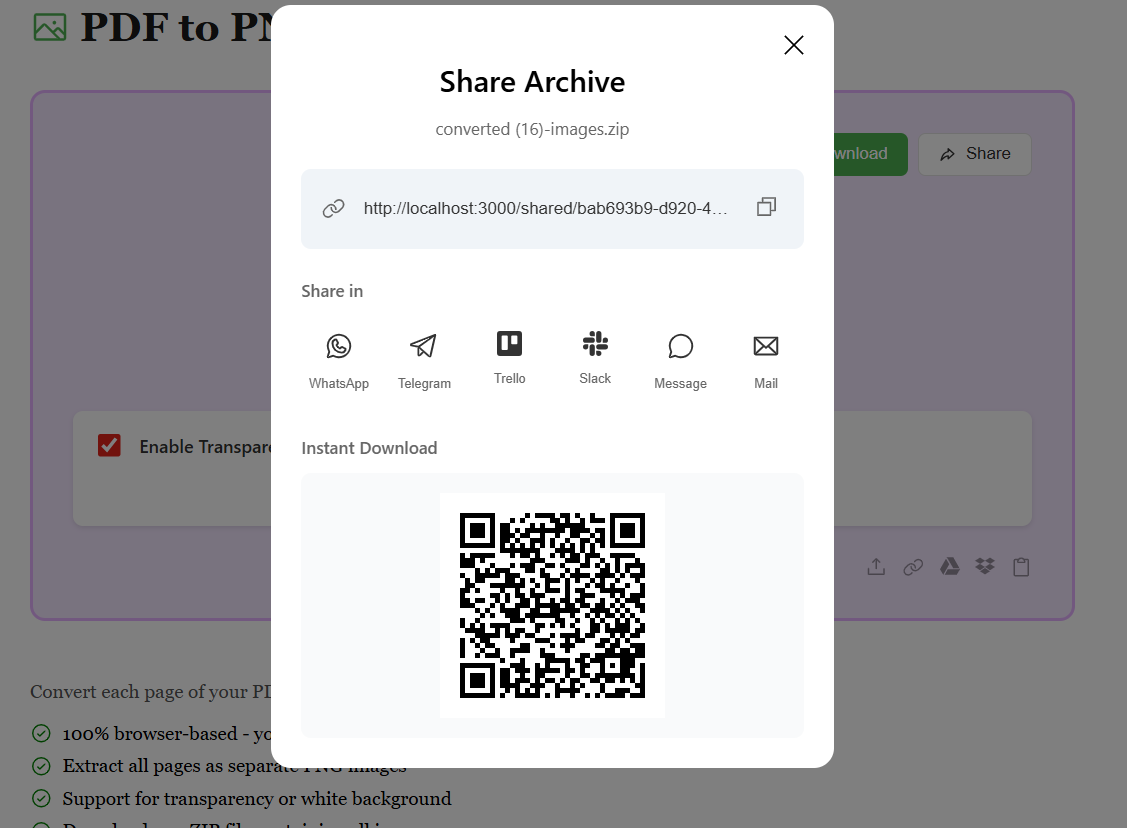
After conversion, all your PDF pages are transformed into individual PNG images and packaged in a convenient ZIP file. Preview the results and hit Download to get your files. Your images are ready to share, edit, or use anywhere — with lossless quality and transparency support.